Safe Launch
PointMan has a Safe Launch option that can be turned on from Android settings or iOS settings. It disables auto-login and lifecycle restore when launching the app. This is designed to have a better way of recovering app usage than uninstalling/reinstalling the app, as sometimes the lifecycle restore code just loops in to a bad recovery point.
Android
-
Close and kill the PointMan app.
-
Open the settings on your phone.
-
Tap Apps.
-
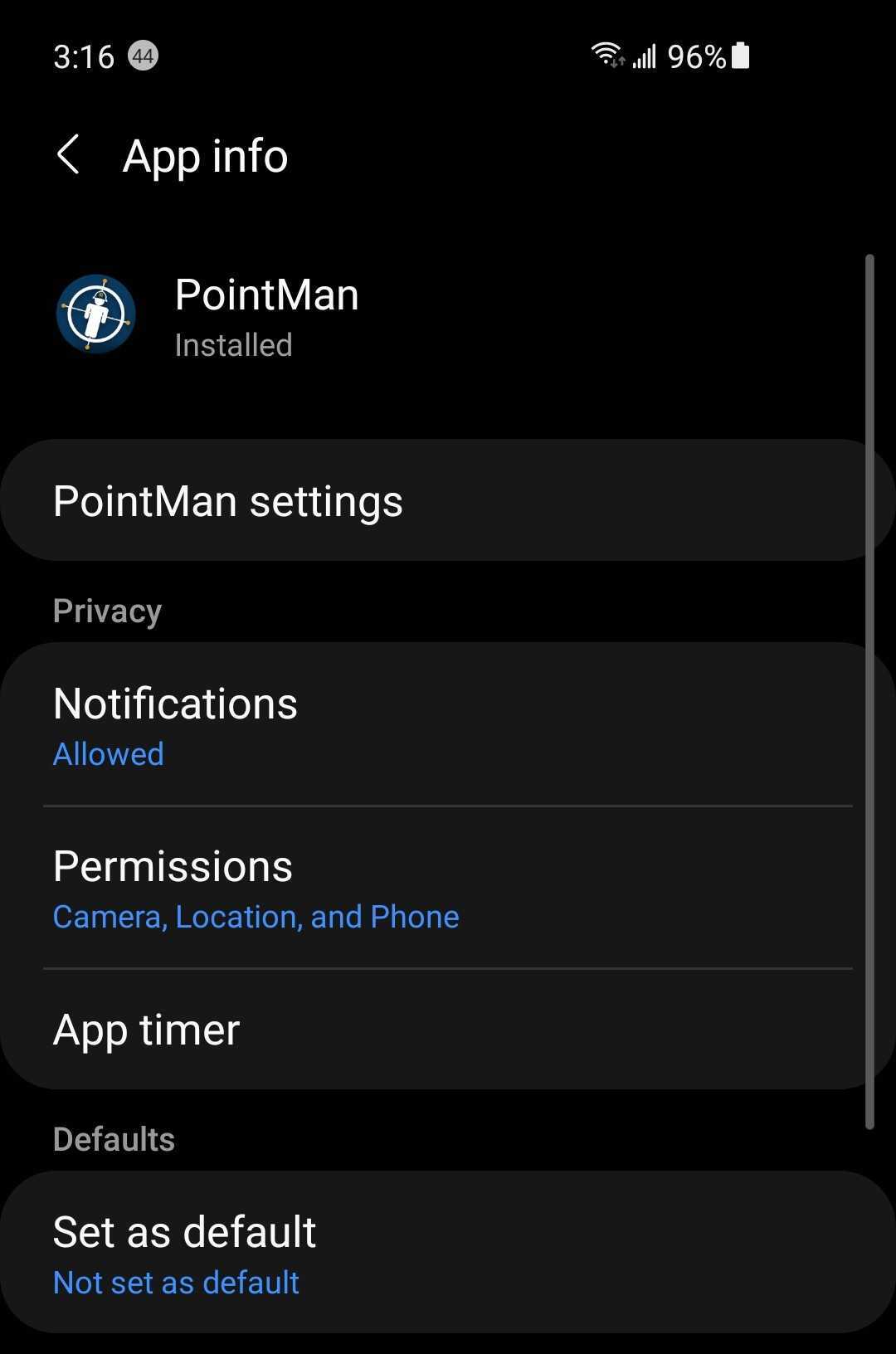
Tap PointMan, and you will see PointMan settings.
-
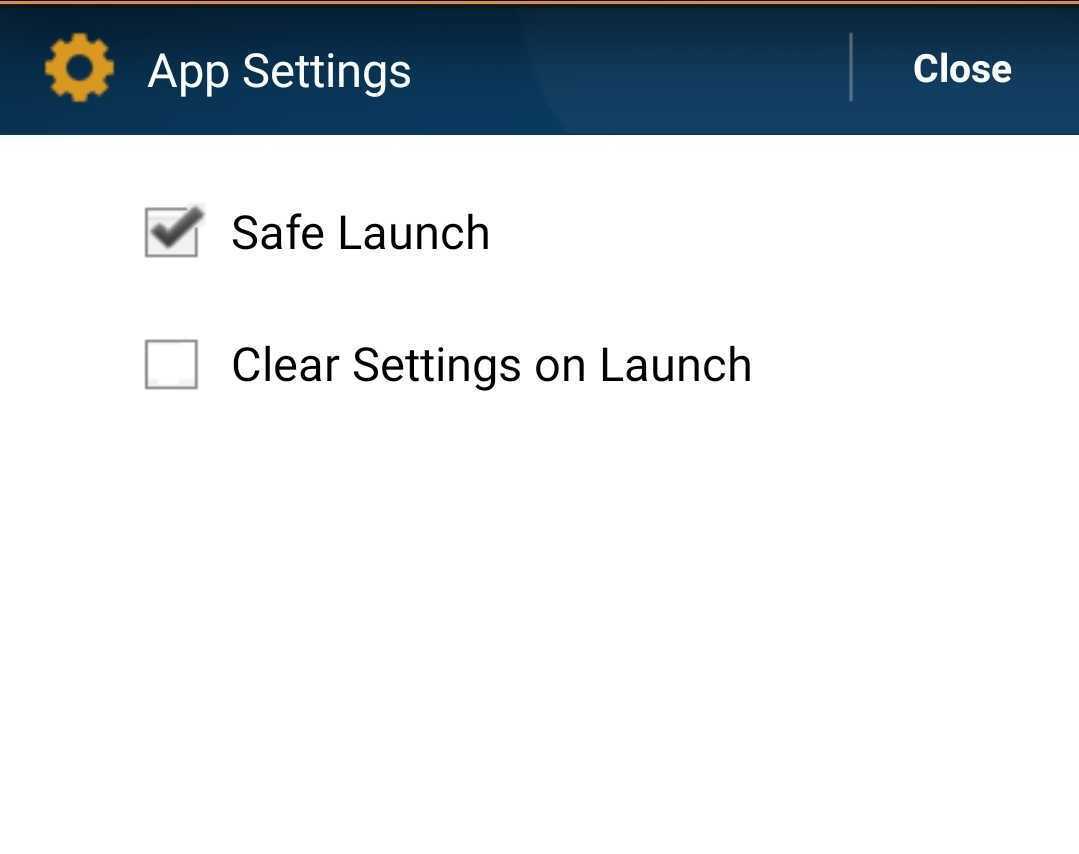
Turn on Safe Launch.
-
Now you can launch the PointMan app with Safe Launch enabled.
iOS
-
Close and kill the PointMan app.
-
Open the settings on your device.
-
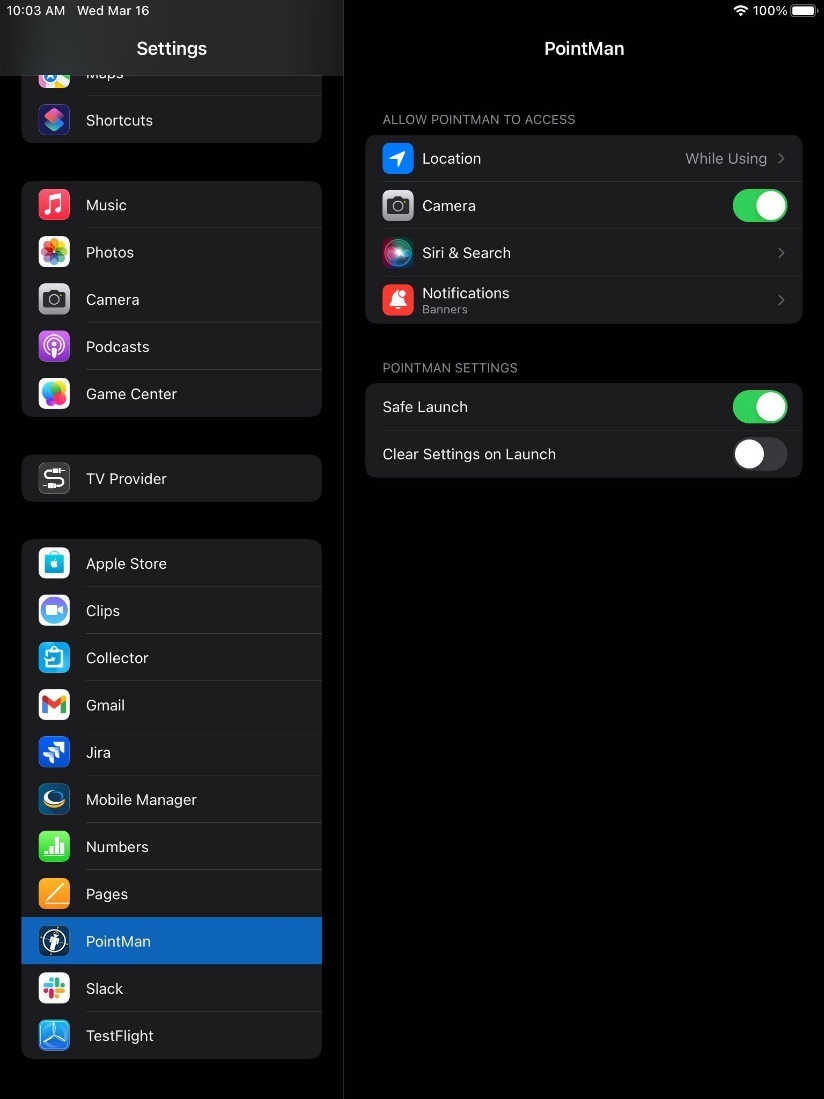
Tap PointMan.
-
Turn on Safe Launch.
-
Now you can launch the PointMan app with Safe Launch enabled.
Troubleshooting
Note about Uninstalling PointMan: If you are a PointMan Mobile License user, uninstalling the PointMan app will remove all project data stored on your device. It is important to backup any project data before uninstalling the mobile app.
For questions or issues, please fill out the request form (https://pointman.com/custom-support/) or send an email to support@pointman.com and include the following:
-
Brief description of what you are experiencing
-
Include screenshots / screen recordings showcasing the issue if any
-
Include supporting data files showcasing the issue if any
-
-
The devices you are using and if you have anything set in the GPS settings
- ex: GPS, Locator, Mobile Device, EPSG, Correction Service, etc.
-
List of steps that were already taken to troubleshoot the issue
The PointMan Support Team is available from 8:30am to 4:30pm MT Monday through Friday.