Note: Javad is available for use with PointMan on Android devices only.
Javad TRIUMPH-3NR Specifications
-
Open the PointMan app (Make sure the PointMan app is up to date)
-
Go to the PointMan Settings page and tap Configure Bluetooth. This will open the Android’s Settings app to the Bluetooth page
-
Pair the Javad receiver to the Android device
-
Return to the PointMan Settings page
-
[Device Section] From the GPS dropdown, select Javad. Then select the Javad Bluetooth name from the second GPS dropdown
-
[GPS Section]
-
Enter the Antenna Height using the Height calculator (the button next to the Antenna Height field)
- Antenna Height Help Page1. If you plan to use a Geoid, you may refer to the Geoid Help Doc for steps
-
If you plan to use a Correction Service, follow the steps listed on the Correction Profile Help Page for setup assistance
-
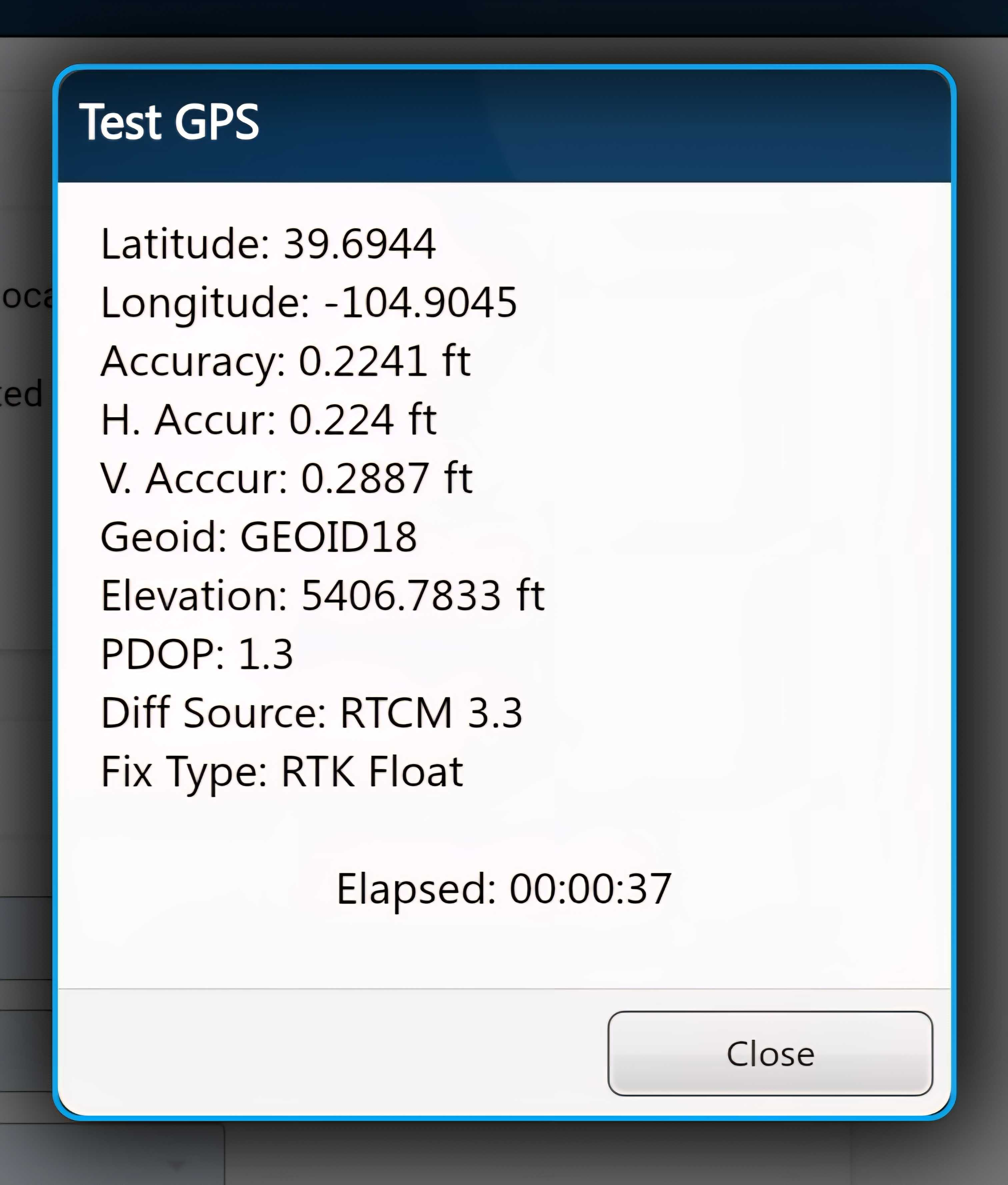
Use the Test GPS button to verify your connection to the Javad unit. This will open a dialog that will showcase the same fields as the Status Menu that appears during Data Collection will display. Tap Close when values begin to populate the fields and you can begin collecting data
-
-
Close the Settings page to return to the Map View. Then tap New to select a System and Component to collect
- Note: If you have a Layer dropdown, verify you are saving the feature to the appropriate layer.
-
Once the feature is collected, tap Details for Points and Pedigree for Lines and Polygons to view the captured GPS data. The Rcvr Type field will list the GPS unit paired
Troubleshooting
Troubleshooting Tips: Troubleshooting Issues with GPS/GNSS Units
Note about Uninstalling PointMan: If you are a PointMan Mobile License user, uninstalling the PointMan app will remove all project data stored on your device. It is important to backup any project data before uninstalling the mobile app.
For questions or issues, please fill out the request form (https://pointman.com/custom-support/) or send an email to support@pointman.com and include the following:
-
Brief description of what you are experiencing
-
Any screenshots / screen recordings showcasing the issue
-
Any supporting data files showcasing the issue
-
The devices you are using and if you have anything set in the GPS settings
- ex: GPS, Locator, Mobile Device, EPSG, Correction Service, etc.
-
List of steps that were already taken to troubleshoot the issue
The PointMan Support Team is available from 8:30am to 4:30pm MT Monday through Friday.