-
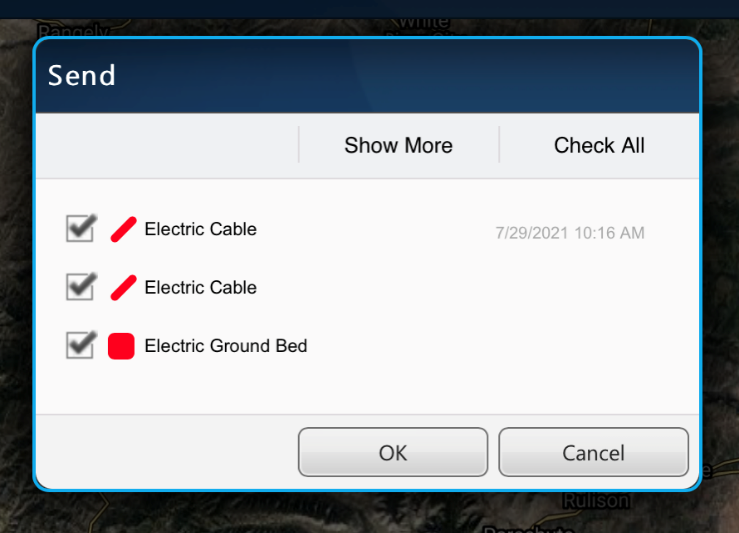
Initiate the export sequence via the Send button or the Send Project button to get to the Send dialogue
-
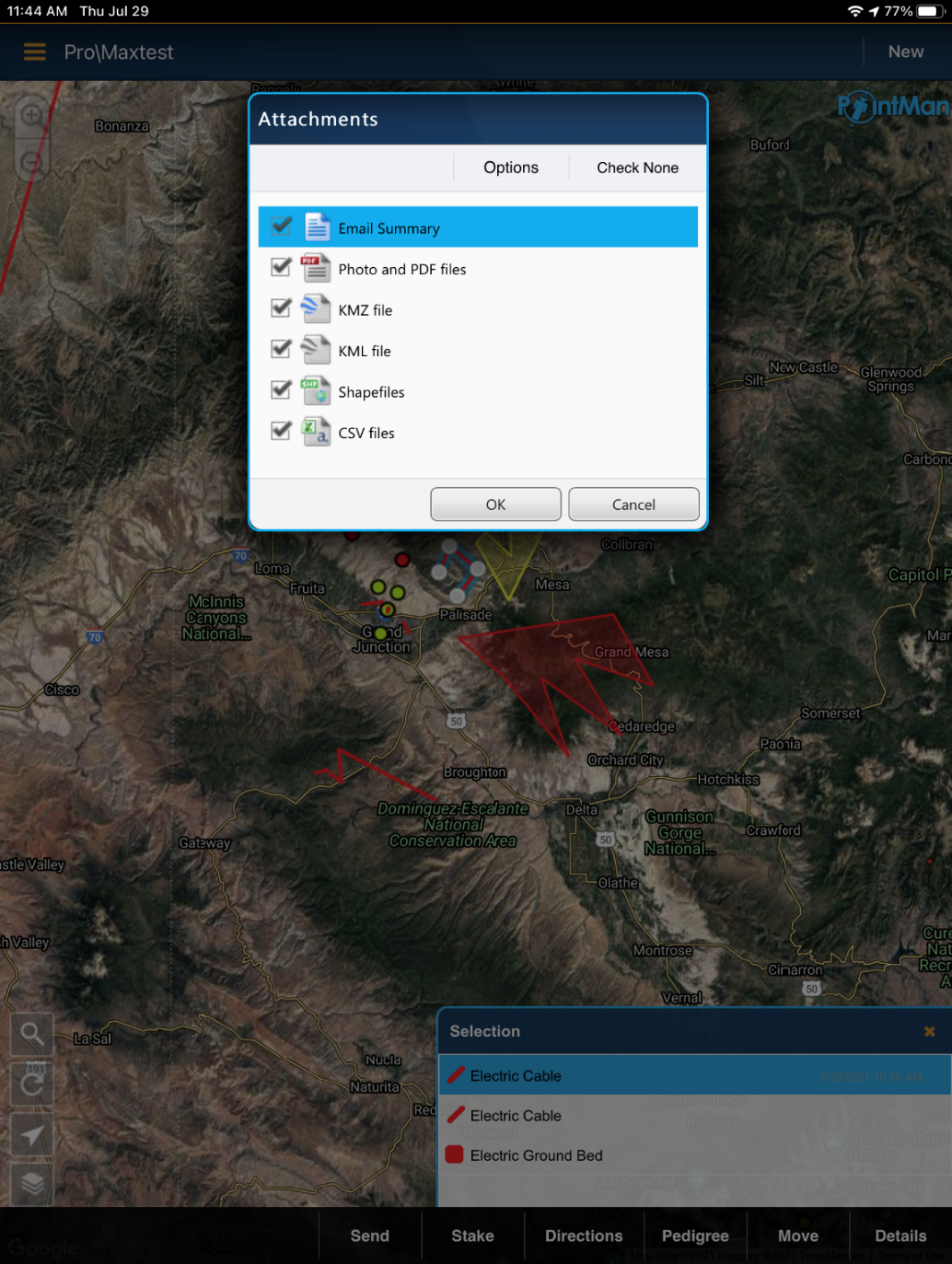
Tap OK to view the Attachments dialogue. Select the file types you would like to send
-
-
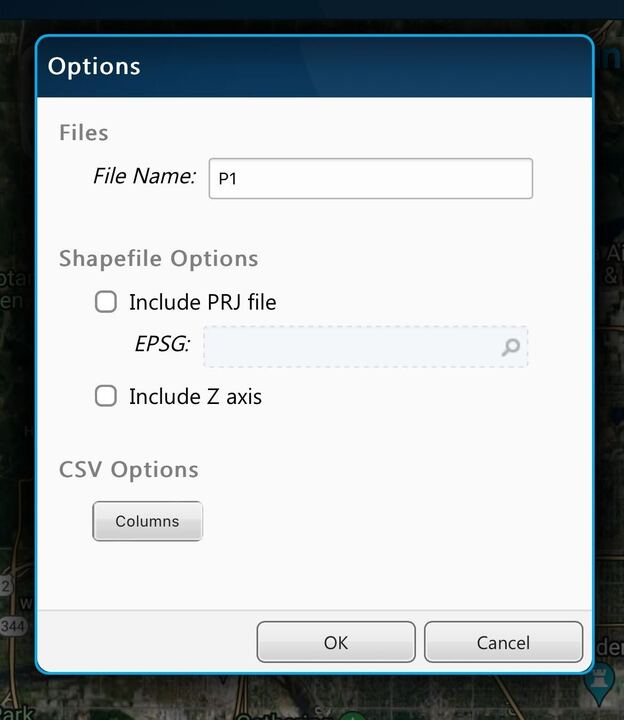
Tap the Options button for the Advanced Options.
-
To export the data with an EPSG that is not the default WGS84, check the option for “Include PRJ file” and search for the appropriate EPSG option
-
Make other selections at your discretion
-
Tap OK
-
You may either email the data or save it to the device.